 LaosYour church community
The church app your members will actually open.
A private app for your congregation: the directory, ministries, serving schedules, prayer list, sermons, events and daily reading plan - on every phone, run by your office, owned by your church. One place to communicate, and one place to keep the church organized.
Try the demo Talk to us about your churchThe demo is the real app, signed in to a made-up church. Tap anything; nothing in it is real.
Free for churches of up to 25 members. No contract, no ads, and your data is yours to export at any time.
Built for how a church actually runs
One place, not five
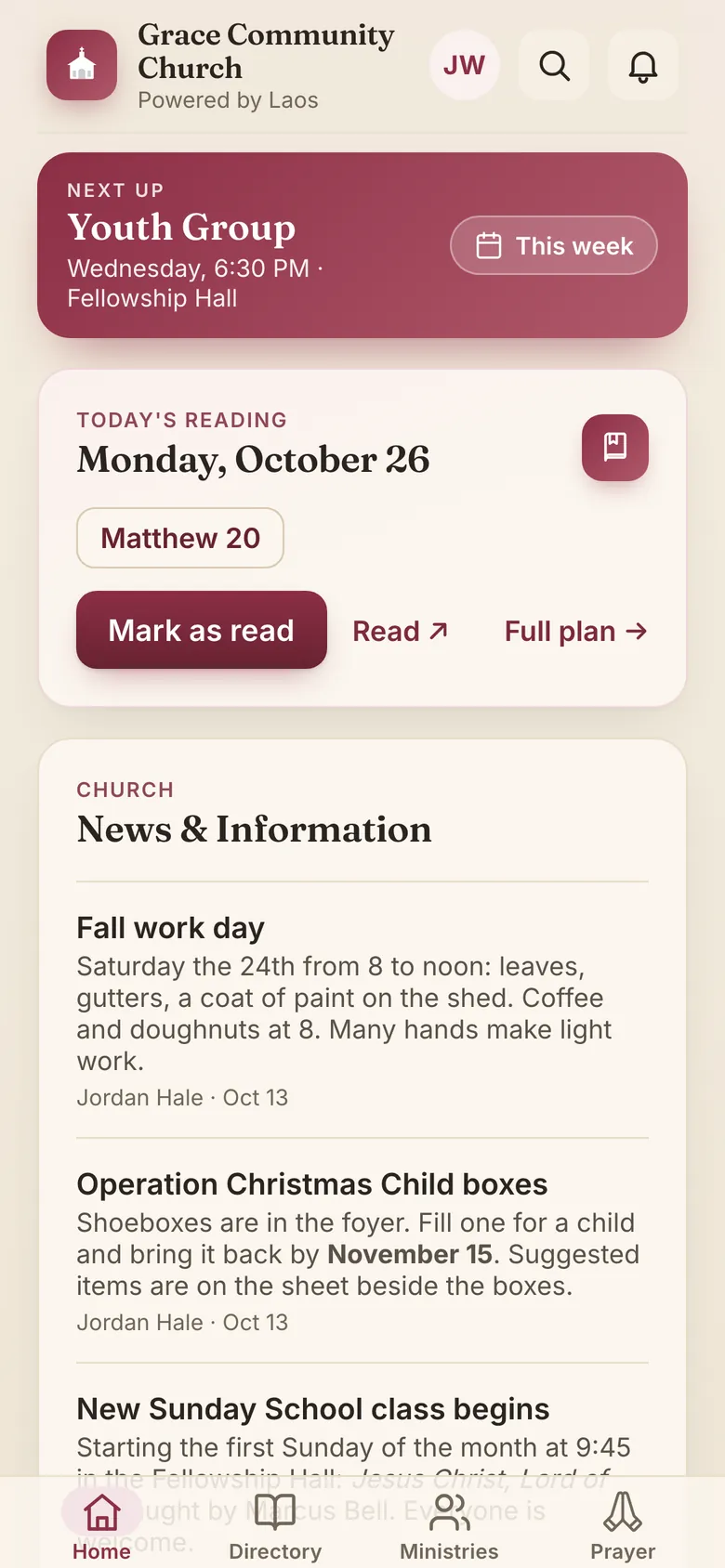
The directory app, the group texts, the prayer chain, the bulletin calendar and the weekly email, replaced by one app the whole church shares. Post once and it reaches every phone, with a notification for those who want one and a bell for the ones they missed. Nothing falls between the cracks of five different channels.
Private by design
Your directory is seen only by people your office has approved, and nothing in it is reachable without signing in. Phone numbers, addresses and photos stay inside the church, and the office decides what is shown. No ads, no tracking across other apps or websites, nothing sold.
Run by the office, not IT
Approving members, posting news, reviewing photos and prayer requests, managing ministries: a simple admin area, no technical staff needed.
A look inside
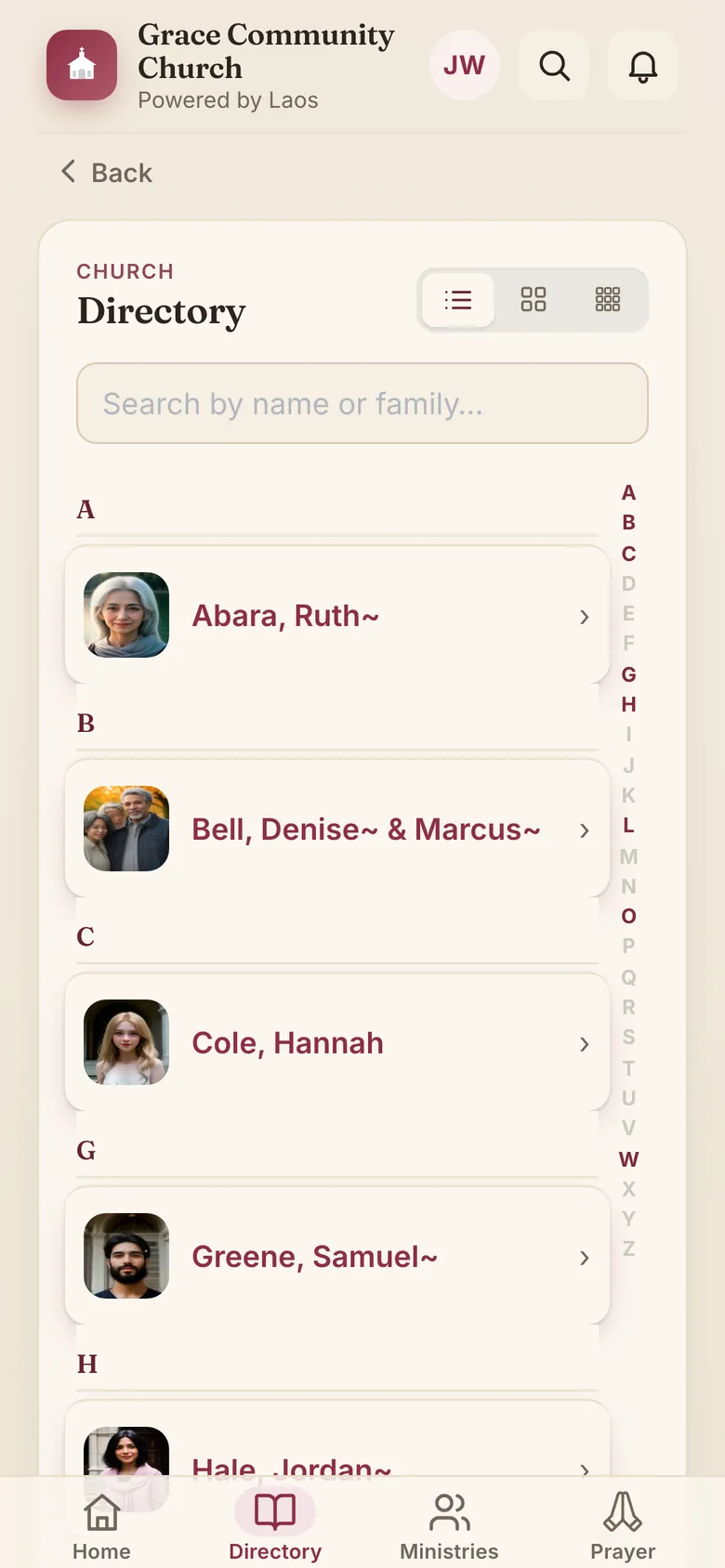
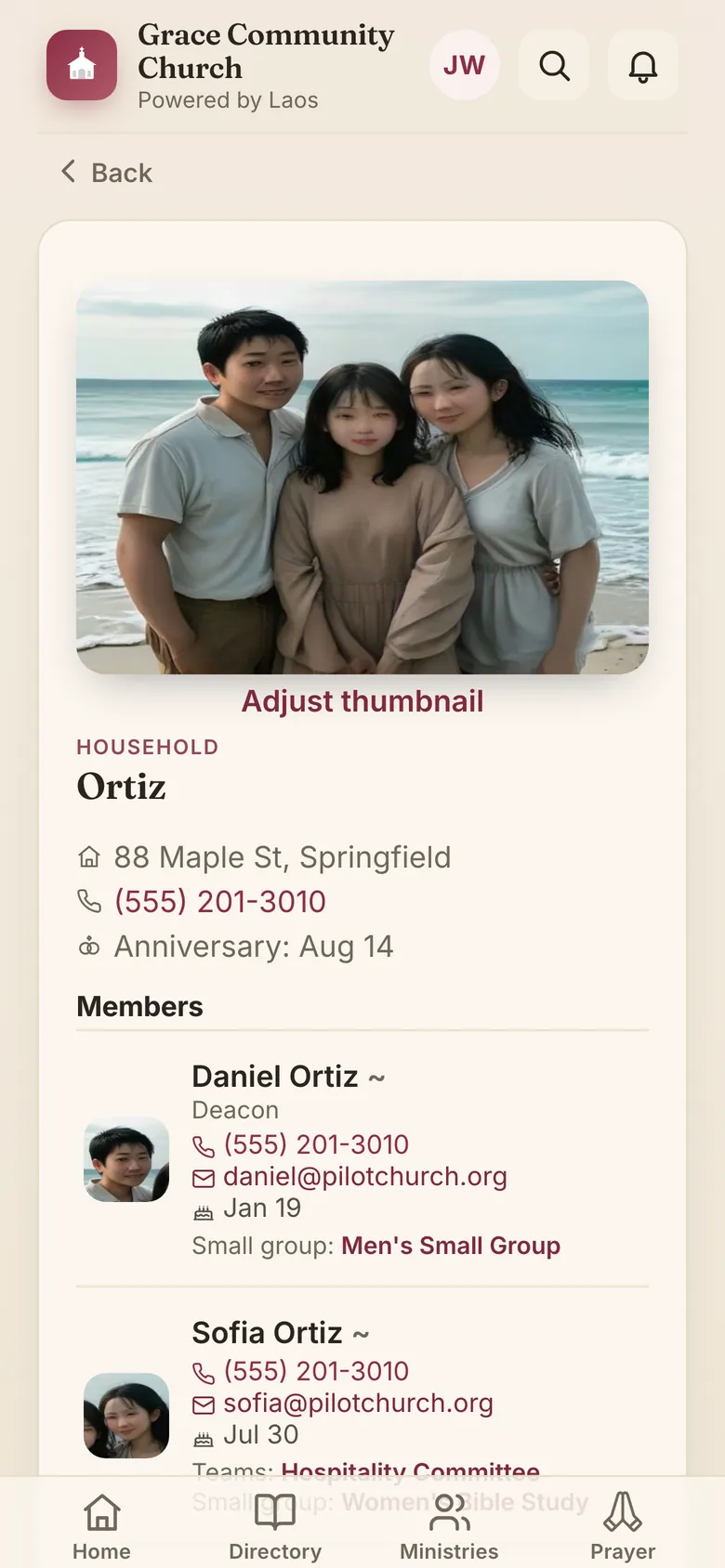
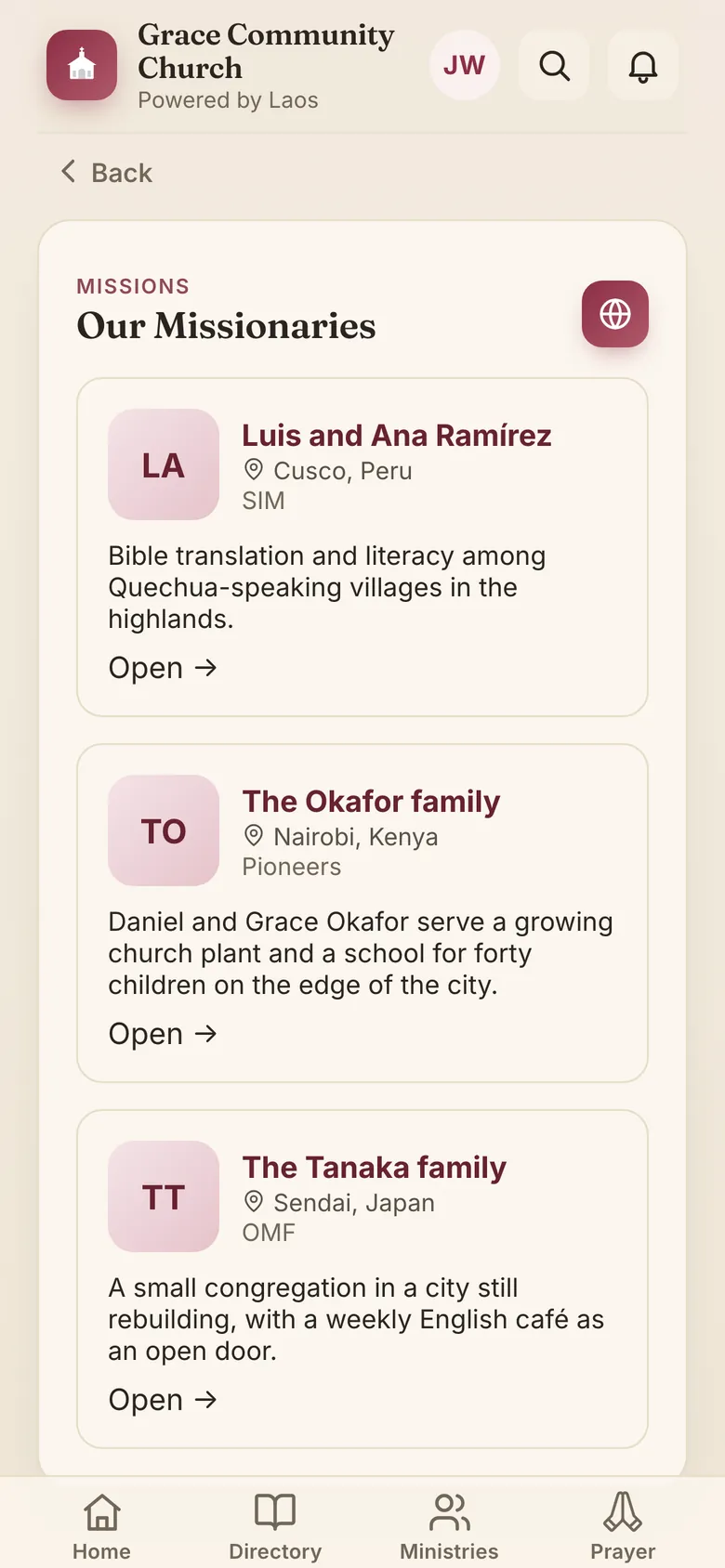
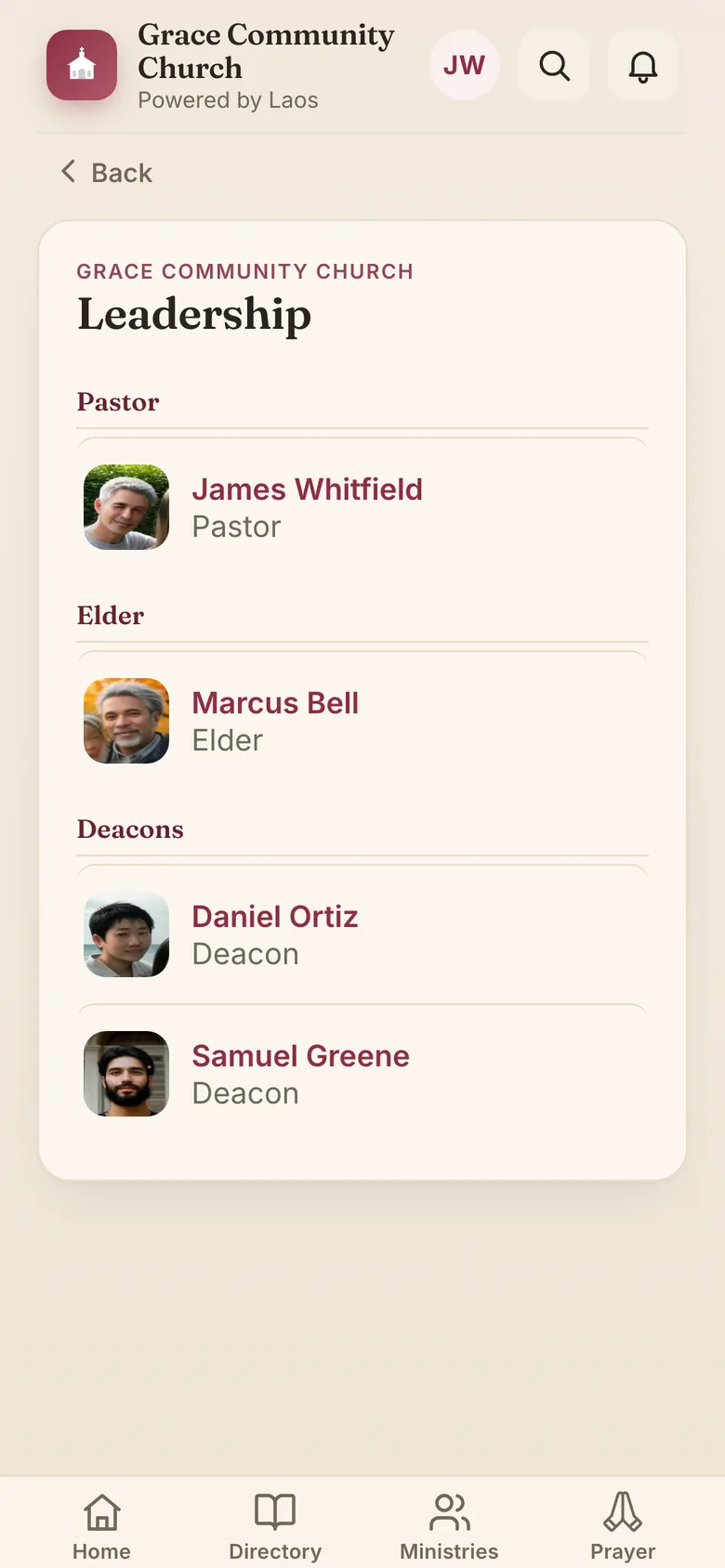
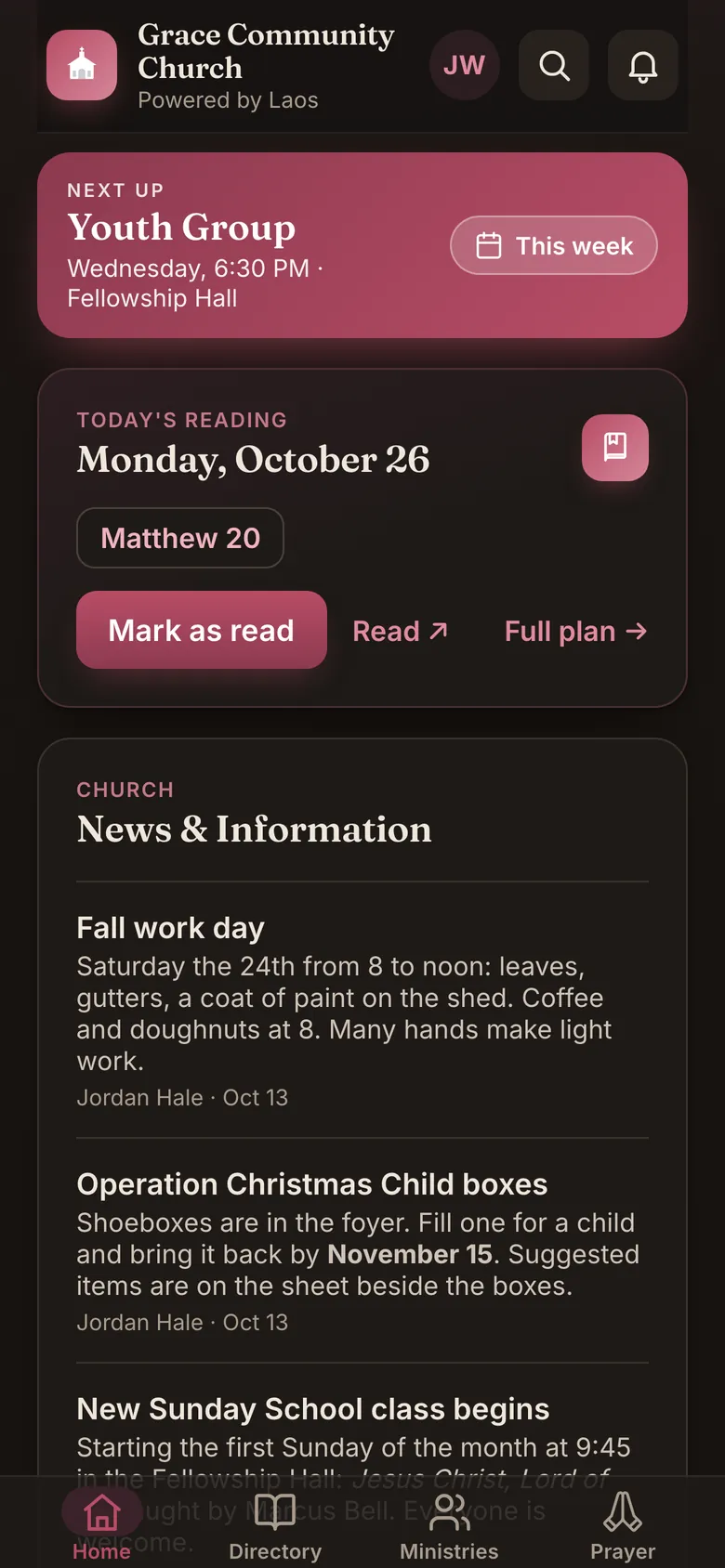
Screens from the demo church, a congregation we made up. Every one of them is a tap away in the demo.
One email, written for each person
Most church emails are the same bulletin sent to everyone, and most go unread. The Laos digest is different: it starts with what the whole church needs to know, then continues with a “For you” section built for that one member.
The church’s part
Everything new since the last digest: news, the week’s events, prayer requests, missionary updates and sermons, with your church’s logo and color at the top, each item linking straight to its place in the app. The office adds a note for the top, standing blocks such as service times or a giving reminder, and picks the order.
Their part
Their ministries’ announcements and discussion. The dates they’re down to serve and the open spots on their teams. Sign-ups they’re on. Prayers they prayed for that have since been answered. Decisions on their room requests. What’s waiting for them in the app. A member sees only what they would see in the app; a group’s discussion never reaches anyone outside it.
Daily or weekly, automatic
The office picks the days and the hour and the rest is automatic; if nothing is new, nothing is sent. Every digest comes back with a delivery report: how many received it, how many opened it, and which links were tapped (totals only, never who). A member whose phone isn’t getting notifications is shown, in their own copy, how to turn them on.
The result is an email that mentions the reader by more than their first name: their team, their Sunday, their prayer. People open it because it is about them, and the office writes it once.
What your congregation gets
Directory
Families and individuals with photos, phone, email and address, always current. Tap a name to call, text or email; tap a ministry to see who’s in it. Grown children are shown with their parents’ family as well as their own. Birthdays and anniversaries, shown by day and month. Search across everything: people, news, events, sermons, missionaries and pages. The office can print the whole directory as a PDF, photos and leadership page included, for members who won’t use a phone.
Ministries & groups
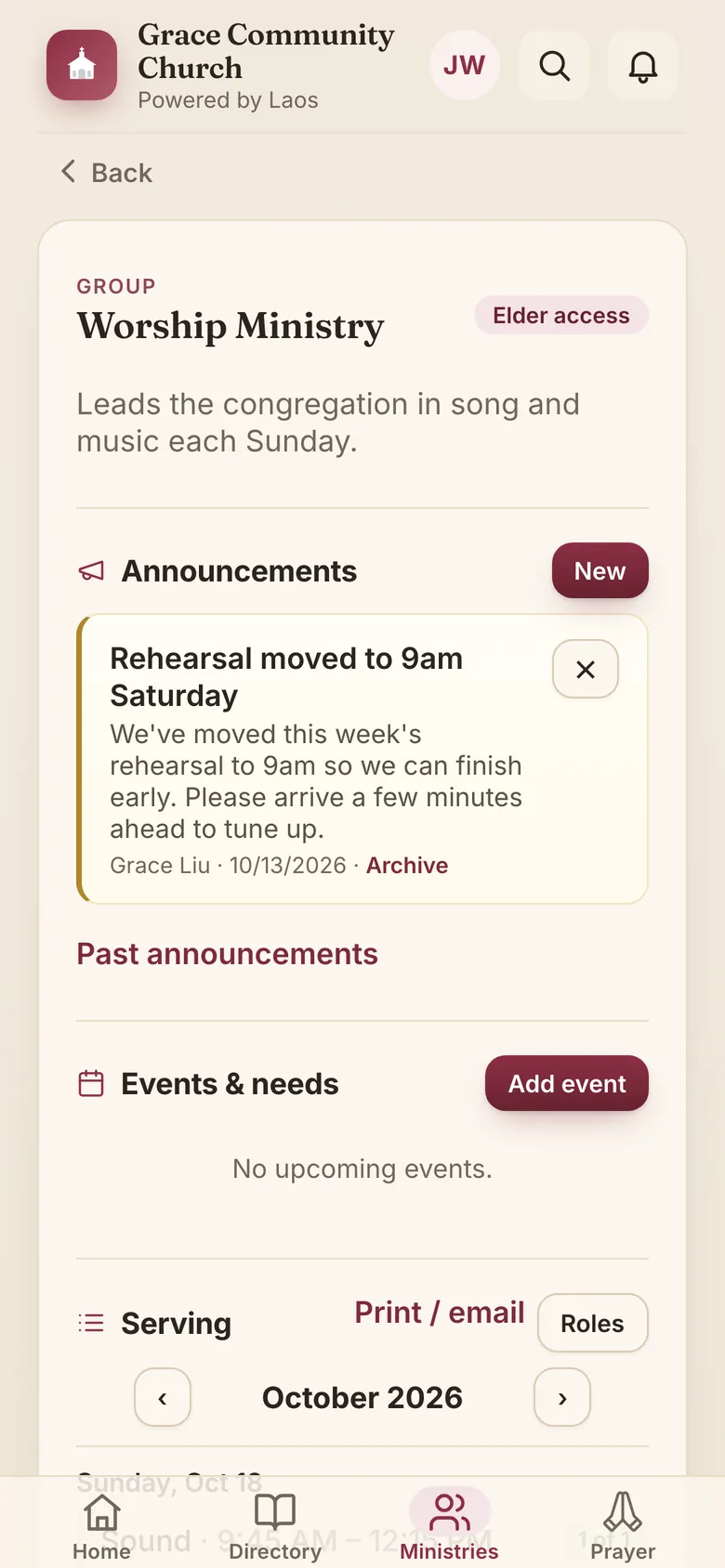
Every ministry, team and small group with its own space: announcements, meeting schedule, documents, sign-ups and a discussion board with photos. Leaders manage their own group; elders see them all. The Ministries tab shows each member what’s new in theirs and which serving spots still need someone, and leaders can see who has used the app recently, so they know whom to encourage.
Serving schedules
Greeters, nursery, ushers, security: each team’s roles and dates in one schedule. Leaders assign people or leave spots open; members take a spot, say they can’t make it, mark away dates and get a reminder two days before and the day before. Regulars can be set by week of the month (“first and third Sundays”) and are put on the schedule ahead of time. A My serving page lists their dates, and their calendar subscription puts them in their own calendar.
Prayer
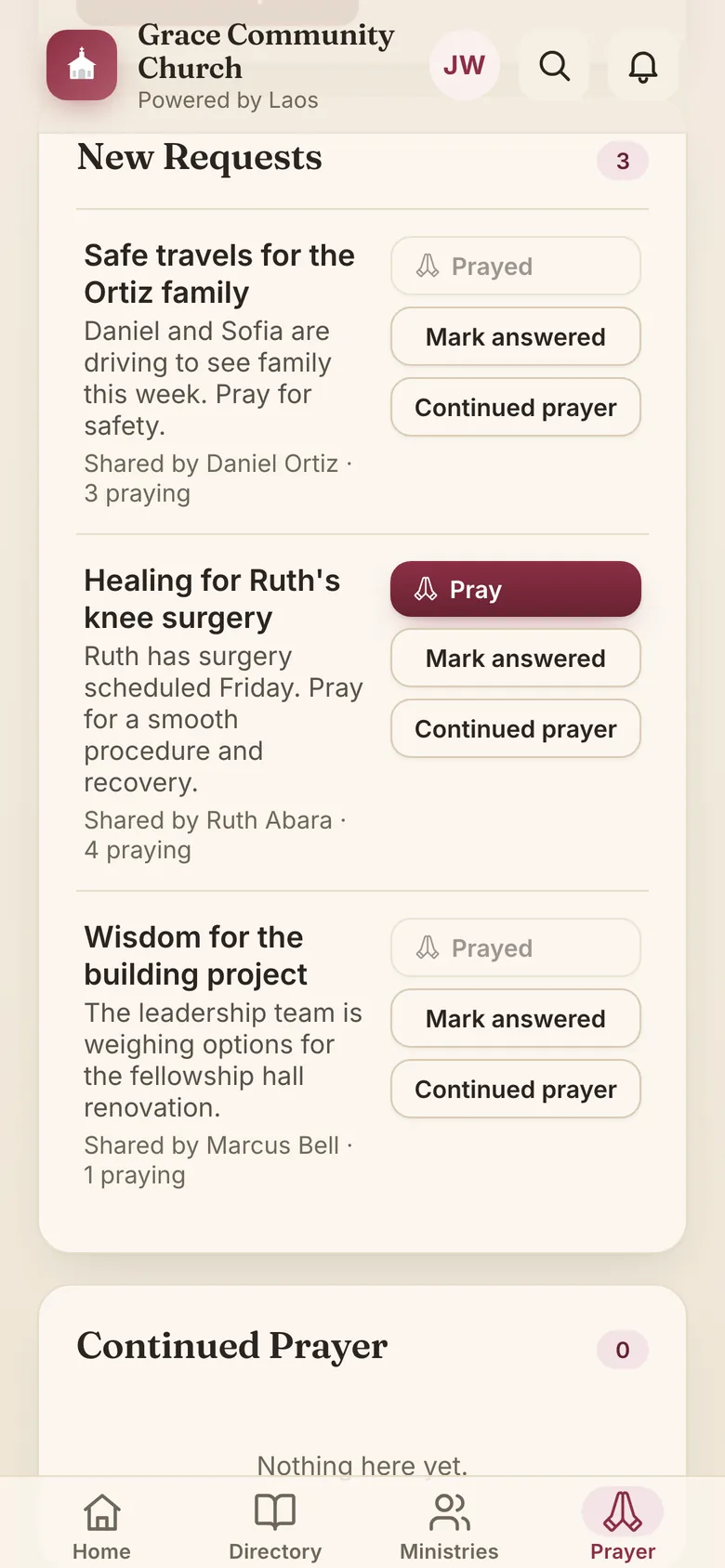
A shared list under New Requests, Continued Prayer and your missionaries, reviewed by whoever oversees it, with an “I prayed” count so people know they’re being prayed for. An urgent request can be emailed to everyone at once. Each member’s private prayer list stays on their own login.
Sermons & live stream
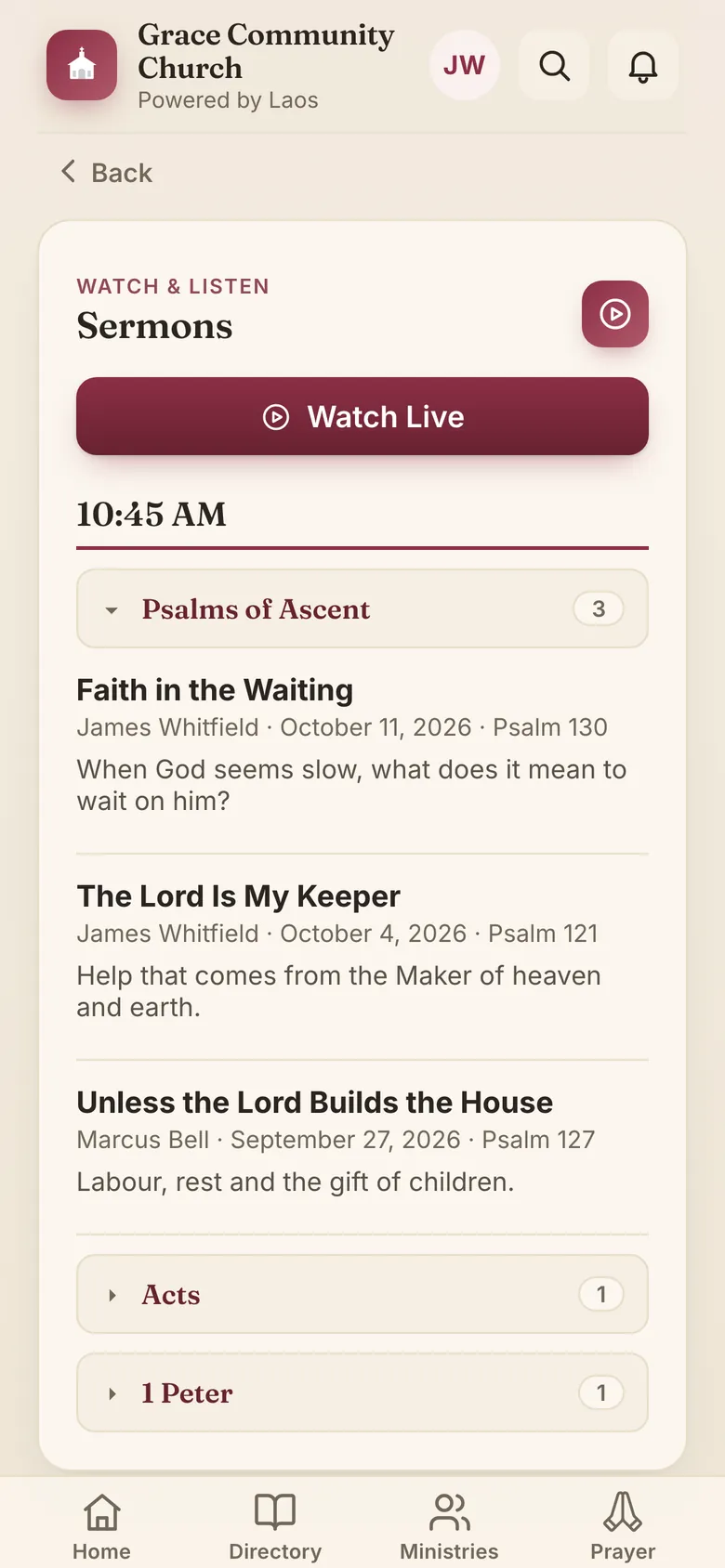
Sermons and lessons appear on their own from your YouTube or SermonAudio account, grouped by series with the speaker and passage on each, and the live stream is one tap on Sunday.
Events & calendar
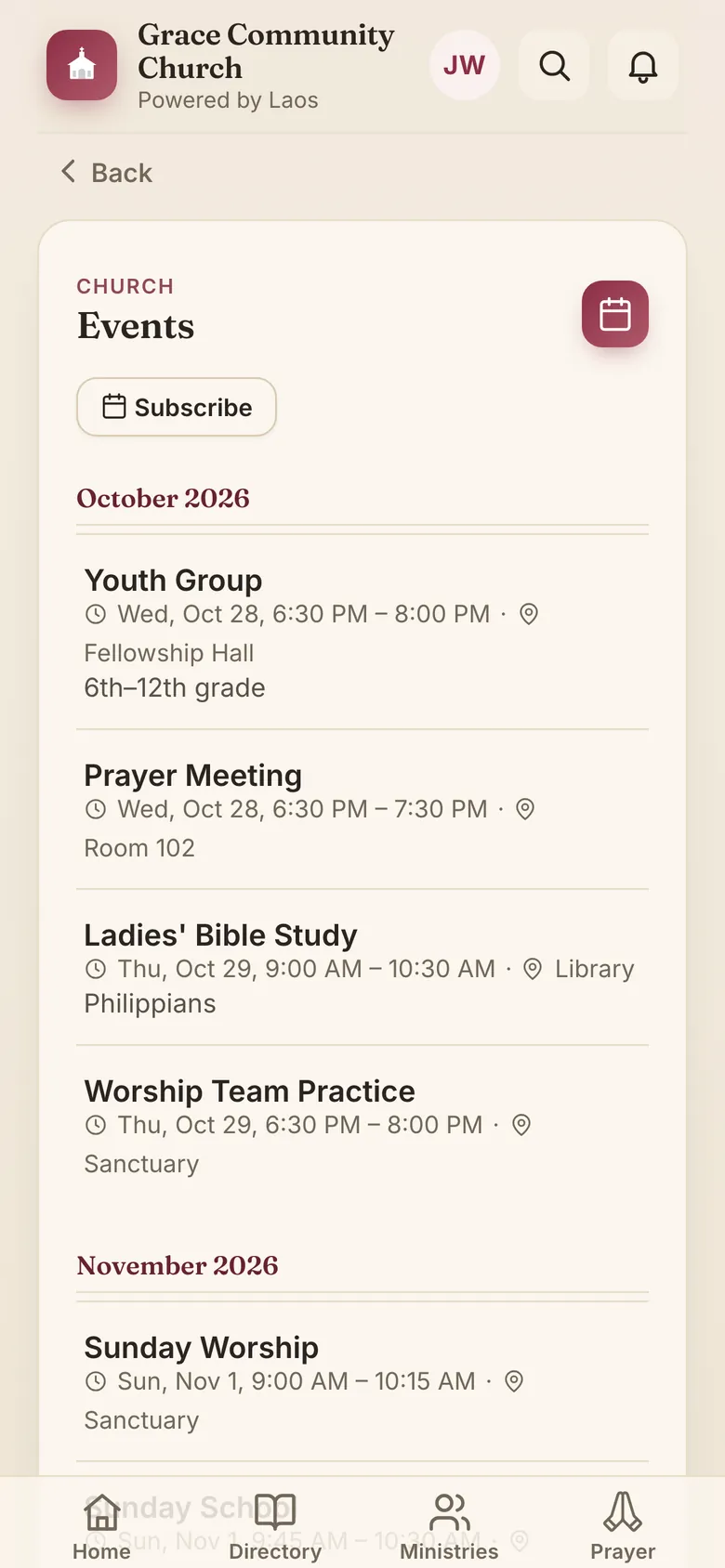
This week’s events, birthdays and anniversaries on the home screen; the full church calendar in the app and, with one tap, in members’ own calendars (Apple, Google, Outlook): one subscription each, with church events, their ministries’ events and their serving. Add events one at a time, import a month from a spreadsheet, or mirror the calendar you already keep.
News, notifications & email
Post news once, or schedule it; it goes on the home screen and into the digest, reaches every phone with a notification for those who want one and a bell for the ones they missed, and, when it can’t wait, by email to everyone. Writing looks the way it will show: bold, headings, lists, pictures from the church’s library, and a person’s name linked to their entry. A daily or weekly email digest with a part written for each member, which they can switch off any time. Urgent prayer requests can go out by email the moment the office approves them.
Daily Bible reading plan
Your church’s reading plan, today’s passages on the home screen, a checkmark when done.
Missionaries
Each missionary or family the church supports, with their photo, field and agency, a short introduction, and a way to give. The office posts their updates as they come in, with a photo or the newsletter itself attached, so the latest letter is always in the app. Their prayer requests appear on the church prayer list, and new updates go into the digest.
Sign-ups
Sheets for anything that needs names: a potluck, a workday, a retreat headcount, help for a family. Each sheet can have a date, a limit and a closing time; people sign up with a tap, say how many they’re bringing, add a note, and take themselves off again. Church-wide sheets sit on Home; a ministry’s sheets live on its page, and an event that needs volunteers carries its own, open to that ministry’s members and listed in their My serving.
Room reservations
Members ask to use a room from the home screen, with the date, time and what for; the office approves or declines, the member is told, and approved uses appear on the church calendar.
iPhone, iPad, Android and web
An App Store app for iPhone and iPad; on Android and computers it installs straight from the browser. Your church’s color throughout, with your logo in the header and an icon to match. Dark mode, and text that follows the phone’s size setting. One sign-in with their email, no passwords to forget. Only approved members and friends can see any of it, and contact details stay inside the church.
How it works
1. We set up your church
Your church gets its own address, yourchurch.laosapp.com, and the office gets an admin sign-in. Nothing to install. Laos is for churches that affirm our Statement of Faith.
2. Bring in your directory
Fill in the spreadsheet template (or send us the export from your current directory) and import it, photos included. Ministries, missionaries and the reading plan import the same way.
3. Members sign in with their email
The office approves the addresses. Members open the app, enter their email, and tap the link we send. No passwords, no accounts to create, and removing someone is one click.
Most churches are up and running in an afternoon.
Pricing
Priced by the size of your congregation, with every feature in every plan. Cancel any time; export your data any time.
Up to 25 members.
Unlimited push notifications.
No email sending.
Up to 100 members.
Unlimited push notifications.
2,500 emails a month included.
Up to 500 members.
Unlimited push notifications.
10,000 emails a month included.
Up to 2,000 members.
Unlimited push notifications.
40,000 emails a month included.
Unlimited members.
Unlimited push notifications.
100,000 emails a month included.
A member is a directory entry with an email address; children and entries without one don’t count. Emails are everything sent on your church’s behalf: the digest, prayer requests, messages from the office and group leaders, serving reminders and sign-in links. Notifications in the app and on the phone are unlimited on every plan. Need more email? Add 10,000 for $5 a month. Unused emails don’t carry over, and an urgent prayer request always goes out.
What the same jobs cost elsewhere
Most churches piece these together from separate services, each with its own login, its own list of people and its own bill. This is what a church of 500 pays each month for one tool per job, at the average published price.
| For a church of 500 | Per month |
|---|---|
| Photo directoryAn online directory service with a members’ app | $11 |
| Groups and ministriesGroup pages, rosters and sign-up for 250 people in groups | $69 |
| Volunteer schedulingTeams, dates and reminders for 150 volunteers | $60 |
| Church emailA newsletter service for 500 addresses | $13 |
| Sign-up sheetsWithout advertising on the page | $9 |
| Calendar and room bookingRequests and approvals for 15 rooms | $32 |
| Separate services | $194/month |
| Laos, Medium churchAll of the above in one app, with the prayer list, news, sermons, notifications and a digest written for each member | $25/month |
Separate services cost more than seven times as much. Smaller churches save even more: about ten times for a church of 100.
Each line is the average published price of competing services for a church of this size, calculated November 2026. What each service includes varies.
Questions churches ask
Where does our information live?
Kept apart from every other church’s, encrypted at rest, visible only to signed-in members and friends of your church. We don’t sell, share or mine it. The privacy policy says so in writing.
What if we stop using Laos?
Export what you brought in - directory, groups, events, missionaries, reading plan, photos - in the same spreadsheet format you imported, from the admin area, whenever you like.
Who counts as a member?
Anyone your church lists in its directory: members in the formal sense, regular attenders, friends of the church and their families. Your church decides who is listed, and listing someone doesn’t make them a member of the church. (For pricing, only entries with an email address count; see the note under Pricing.)
Do members need to create accounts?
No. Your office approves their email addresses; a member signs in by tapping a link in an email (or typing the code from it). No passwords. Removing an address ends that person’s access immediately.
What happens if a member’s email is down?
Anyone already signed in stays signed in, and the app works as usual; the directory is kept on the phone, so it opens even with no connection. For someone who needs to sign in while their email provider is having a bad day, or whose provider keeps losing the message, a church admin can make a one-time sign-in from that person’s directory entry and send it as a text message, or read it out as a six-digit code. It works once, for fifteen minutes, and the person is told that one was made and by whom. If an admin is the one locked out, we can do the same for them.
Can members control what others see about them?
Yes, if your church allows it: a member can limit their entry, and any change a member makes to their own details is reviewed by the office before it appears.
What does the office have to do day to day?
Post news, approve new members, add events, and review the prayer queue and profile changes when they come in. Sermons and the calendar can fill in automatically from accounts you already have.
See it with your own church’s details
Send us your directory spreadsheet and we’ll set up a trial for your church that you can hand to your elders.
hello@laosapp.com